
Why not just upload a PDF menu to your website?
A PDF is hard to read on a phone, isn't updated when you change a price and says nothing about allergens. The widget shows your real menu instead, the same one on the tables, adapted to any screen.
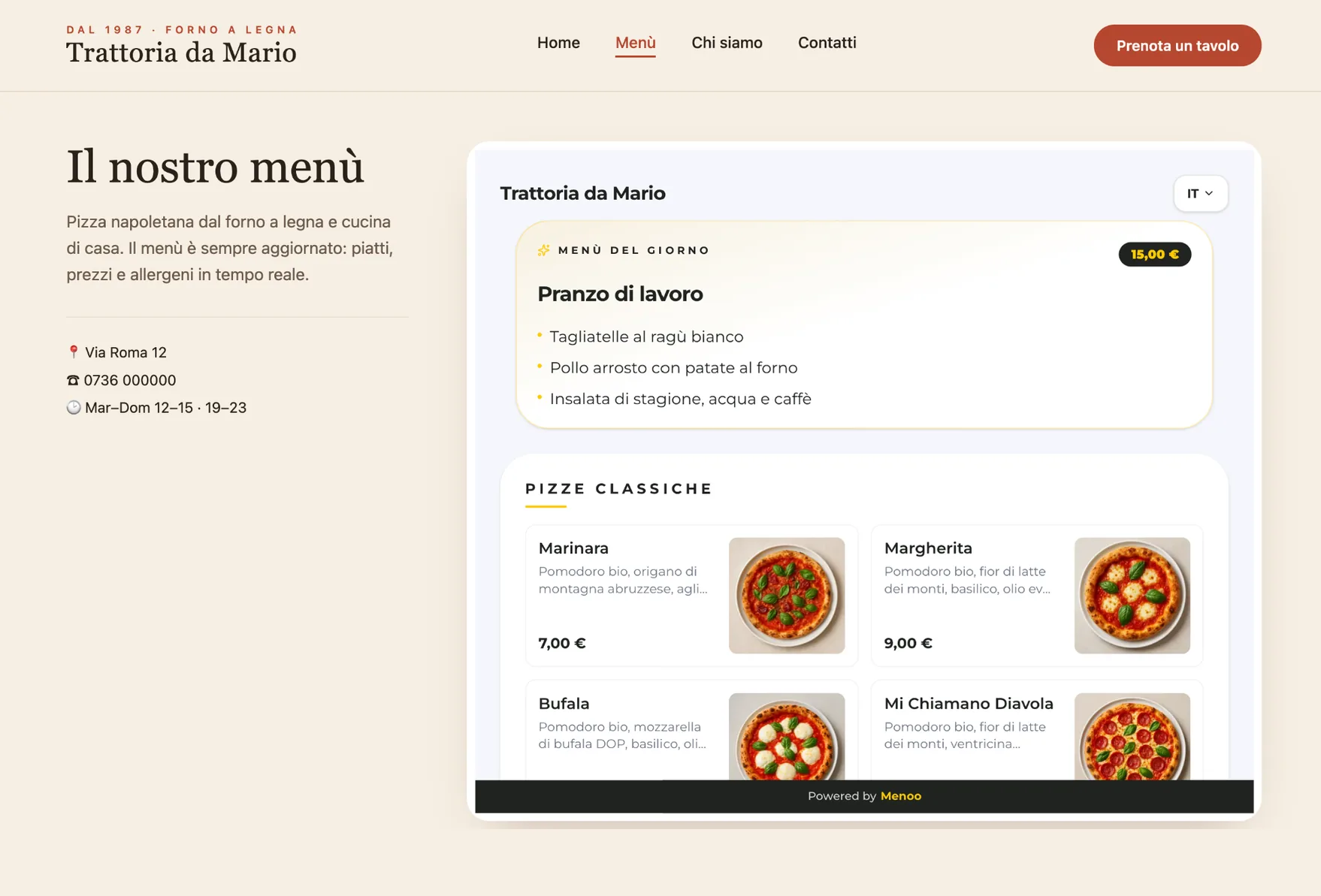
No more re-uploading a PDF to your site every time a price changes. Paste two lines of code and your Menoo digital menu appears on your page, always in sync with the one on the tables.
Available on: Pro plan
In the QR section of the dashboard, copy the ready-made snippet for your menu.
Into an HTML block on the page, with any CMS or website builder.
Every change made in Menoo shows up on your website too, with no files to re-upload.
A PDF is hard to read on a phone, isn't updated when you change a price and says nothing about allergens. The widget shows your real menu instead, the same one on the tables, adapted to any screen.
The snippet loads a lightweight script that places the menu in a frame isolated from the rest of the page: it doesn't interfere with your site's styling and resizes itself to fit the content.
Answers to the most common questions about this feature.
No. All you need is the ability to add an HTML block to a page on your site, which almost every website builder allows.
The script loads asynchronously, so it doesn't hold up the page, and the menu is displayed in an isolated frame.
The website widget is included in the Pro plan. The menu reached via the QR code and its direct link is available on every plan.
Create your digital menu for free: all you need is your menu PDF and five minutes.